

For my entire adult life, I’ve struggled with meal planning. When my kids were born, it became apparent that “winging it” for dinner would not work. To stick to a grocery budget, I had to plan out each week’s meals.
Over the years, I’ve tried various systems. Pinterest. Meals written on index cards that I would draw from at random, and that’s what we would eat that week.
My favorite was when we relied on meal kits. Three meals with all ingredients and a recipe would arrive per week. I only needed to occasionally log into the app and select the upcoming meals. But after a few years, my kids grew tired of the food. Even though it wasn’t a full week’s worth of meals, supplementing was easy. I chose from a small rotation of favorites.
After canceling the service, at my kids’ insistence, I informed my family that everyone was responsible for helping me plan meals. We tried an 8-week rotation: everyone needed to give me 8 meals. For five people, I could add things in a few favorites and have a whole week’s worth of meals, for 8 weeks. But it was like pulling teeth every time I needed to replenish the menu plan.
Over the summer, my two teenagers took on menu planning and shopping. It was glorious. But then the school year started, and it fell back to me.
Solving the meal-planning problem with a custom app
For many, many years, my recipes have been stored in an app called Pepperplate. App works fine, and it has a meal planning feature. But the actual meal planning is manually selecting meals and adding them to a calendar. I wanted something automated — something that would plan for me.
A few years ago, this seemed possible with vibe coding. I could create my own app using AI. I tried to build a menu planning app with Lovable. It worked… sort of. But at the time, vibe coding was very new. Every time I tried to add a new feature to my app, something would break. Plus, I’d need to maintain a monthly subscription with Lovable to keep my app private, even if I wasn’t adding new features.
Next, I tried Airtable, which is a database app I’ve used for a long time. I exported 600+ recipes from Pepperplate and imported them into Airtable. I built out a structure for meal planning and connected Airtable to Claude. With some explicit instructions, I was able to get Claude to plan each week’s menu on a Scheduled Task. Claude even created a grocery list for me.
The system and planning were perfect. The actual experience of using Airtable was not. Think glorified spreadsheet. Even though my family could “open up” a recipe to view it, the navigation was cumbersome. I knew I needed something better if I wanted the family to use it.
Building my own app
Finally, I sat down with Claude Code, determined to vibe code a solution. Vibe coding has gotten much better since my first experience with Lovable a few years ago. Things didn’t just “break” each time I added new features. I connected Claude Code to Airtable so Claude could “see” the structure of my database and recipes and then described what I wanted the app to look like.
It has all of the basics:
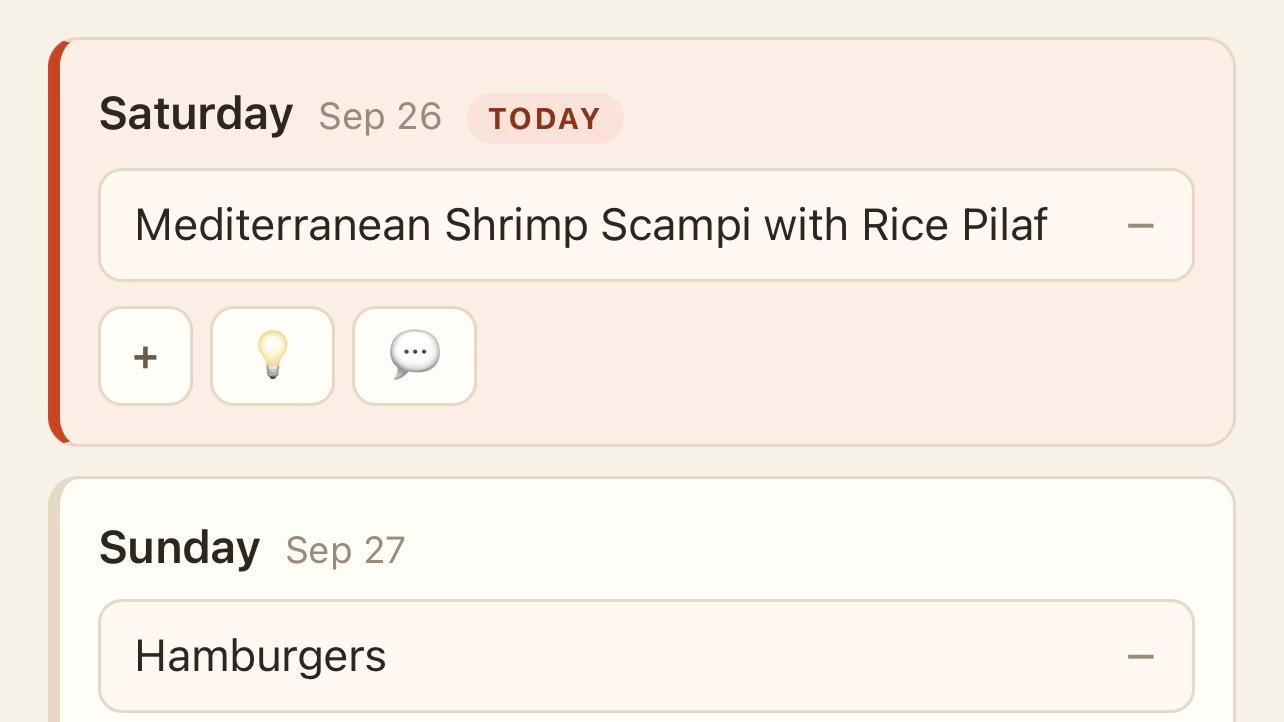
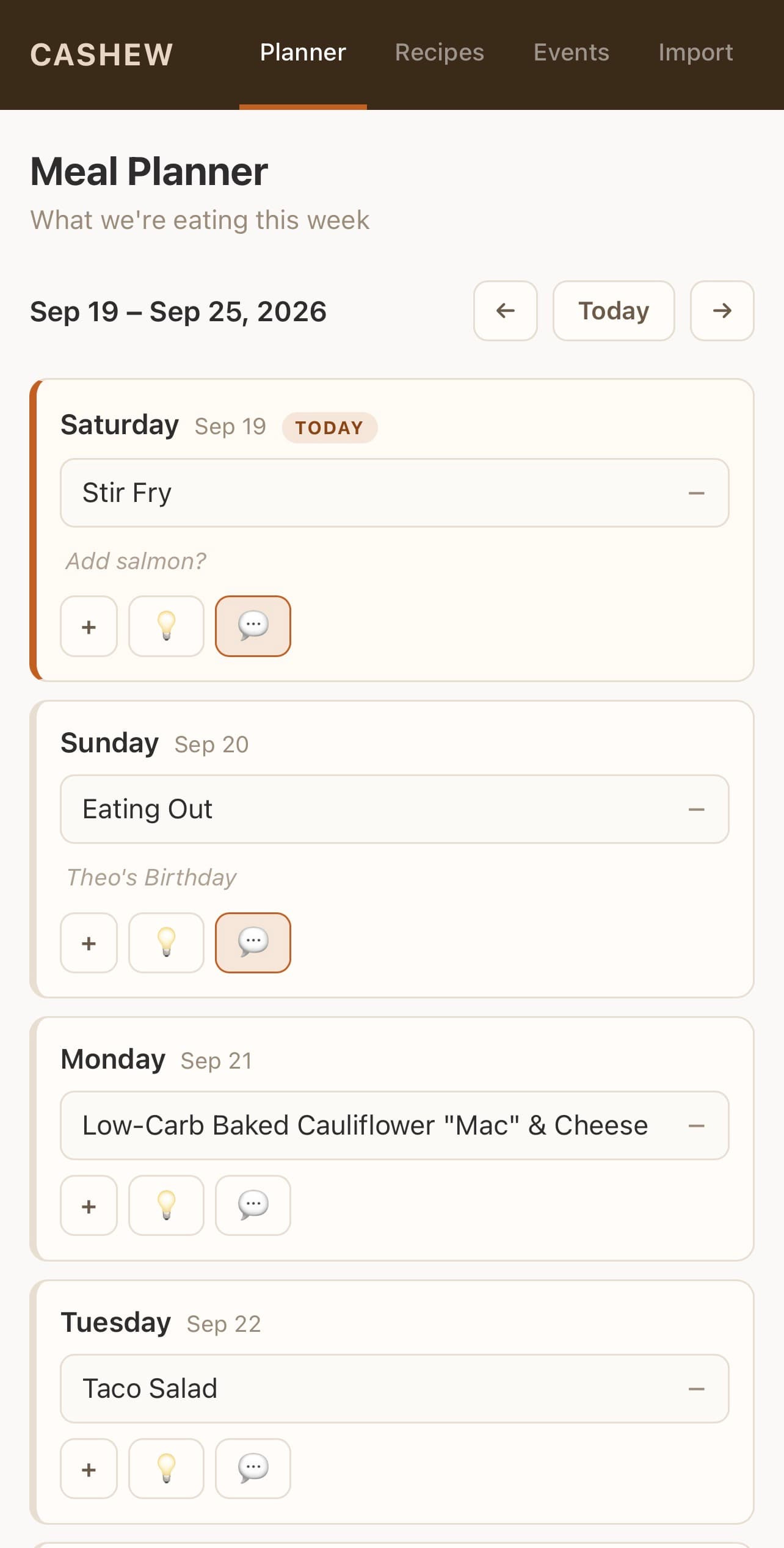
A page that displays the week’s upcoming menu
Clicking into a recipe from the plan displays the full recipe
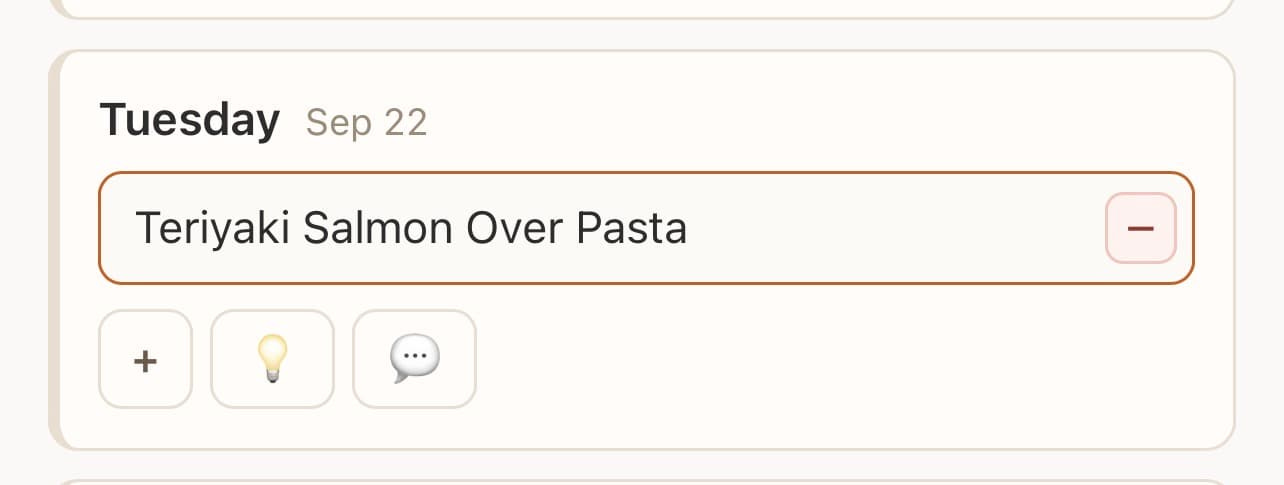
Anyone can search or swap out recipes from the menu plan
Meal planning
Every week, a Claude scheduled task runs to add new recipes to the menu plan. It’s planning a week further into the future, so we have time to review it and make changes. Then on Fridays — the day before my shopping day — it takes the finalized plan and creates a shopping list for me. The necessary ingredients are added to Todoist, which is a to-do app I use.
When planning meals, Claude looks retroactively at the prior 8 weeks. Any recipe we’ve cooked in the past 8 weeks, Claude excludes. Each recipe has a category, like a “Meal” versus a “Side Dish.” Claude knows to pull only from “Meals.”
I also have some rules built in. Like Wednesdays are always busy for us, because of some evening activities. So Wednesdays pull from a smaller subset of “easy” meals. We also like having salmon on Sundays, so that’s built in also — to pull out a fish recipe.
Thumbs up / thumbs down
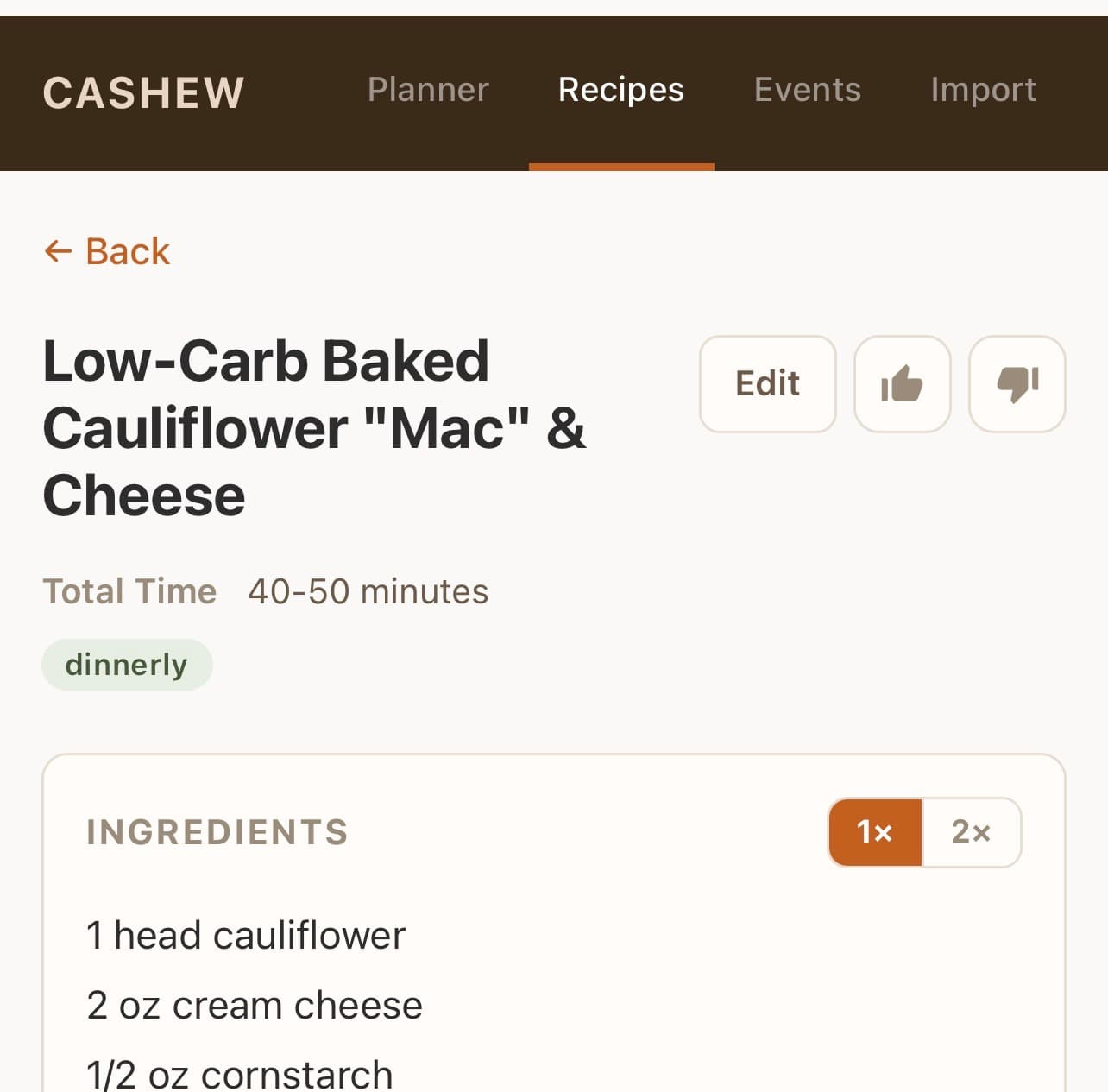
My spouse requested a thumbs up / thumbs down on each recipe. With 600 recipes imported from Pepperplate, we inevitably run into things we don’t like. On the recipe screen in the app, anyone can hit the “thumbs up” or “thumbs down.” That information is saved in Airtable. If we give it a thumbs down, it is excluded from future menu planning.
Double the recipe
Sometimes I need to double the recipe, so I added a “2x” button to the page. If I click 2x, the quantity of every ingredient on the screen is doubled.
Surprise me
My middle child requested a “surprise me” feature. If he doesn’t like the meal for the week, he can click “surprise me” (the light bulb icon) and the app will randomly select another meal and add it to the day.
Timer
A lot of my recipes have been collected from various websites over the years. Sometimes, these sites are far too optimistic in their anticipated “cook time” (or I’m just really slow).
I added a timer on the recipe screen, a simple “start” and “stop.” Once a new time is collected, it overwrites the cook time that may have been collected from a website. The app knows that if the timer keeps running, it should stop it and delete the data (like if we forget to turn off the timer when done).
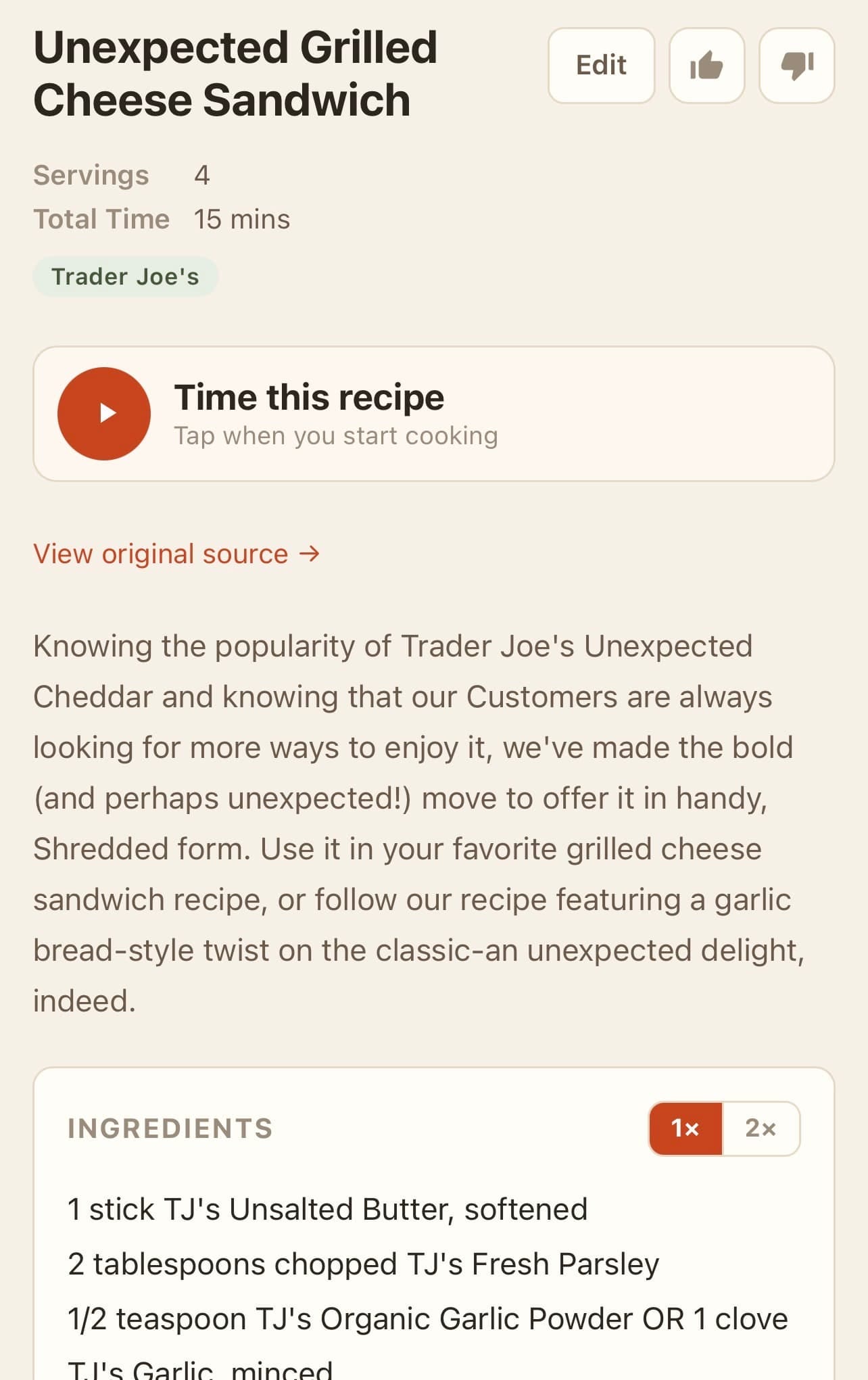
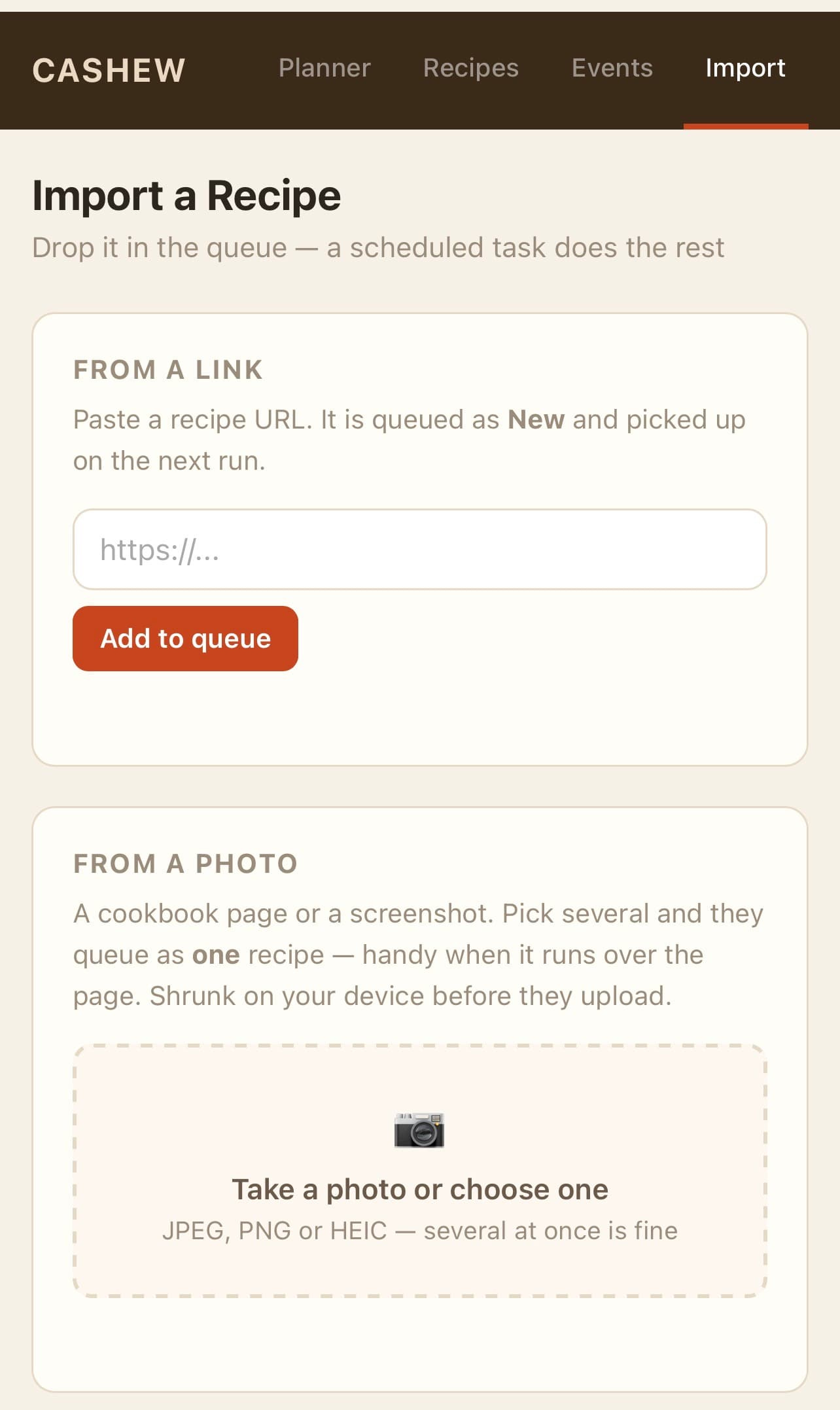
Import recipe
I added an “import” feature to add new recipes via URL or photos. If photos, I can select photos directly from my phone — like photos I take of a cookbook’s pages or screenshots from a recipe website that doesn’t import correctly.
Events
A few times per year, I plan meals that may include multiple recipes (like Thanksgiving). I can add multiple recipes to an Event, and I can add an Event to the day’s meal plan. If an Event is planned for a day, the recipes display in a swipe left / swipe right style to easily navigate between them.
Color scheme
My 14-year-old thought the Claude-selected color scheme was boring (he was right). He asked that the colors change depending on the season. So I built it into the app:
Spring: Green and pink
Summer: Yellow and orange
Fall: Red and brown
Winter: Gray and blue
The technical parts of my app
Behind the scenes, Airtable is structured like this:
Recipes: a table of the recipes, including the list of ingredients, the steps, the cook time, and an original URL (if available)
A meal plan: The recipes tied to a specific date. A Claude Scheduled Task runs every week and adds the next week’s meals.
A list of staples: The ingredients we always have on hand. Claude knows that if an ingredient is on this list (salt, pepper, olive oil, eggs, etc) it should be excluded from the shopping list.
The code
Vibe coding is simple. I describe what I want to Claude Code in plain language. Claude is connected to Airtable with limited access (since I use Airtable for many things).
Claude writes the code for something like “A recipe page should pull data from the recipe table and display it this way.” The code is written to GitHub, which is a code repository (and free). I never look at the code; I only look at the app itself to see if it does what I want it to do.
Getting the app online
For this to truly work, I needed it to be available as an “app” — a web-based product.
I used Cloudflare Pages, which is free. Claude walked me through how to connect it to GitHub. When Claude “pushes” new code, it updates automatically in Cloudflare a few seconds later. It’s on a random URL.
For Cloudflare to display data from Airtable, it needs an API key. I generated this in Airtable, and it is stored as an encrypted key directly in Cloudflare. I never handed over my API key to Claude, and it’s not stored in the code.
To make sure the app was private, I have access to the page scoped to the email addresses of people in my family. Those were some privacy settings in Cloudflare.
Once done, I could give everyone in my family the URL, let them log in with their own email addresses, and they could view it as a fully functional website.
We’ve saved the URL as a bookmark on an iPad Mini in our kitchen to use while cooking and also can access it on our phones.
I’m somewhere between “semi-technical” and “not technical.” I worked at a software company for many years as a product manager. I know the principles of good database design (Airtable), but can’t code at all. At any point, if I wasn’t sure what to do (like in Cloudflare), I asked Claude to give me step-by-step instructions.
Meet CASHEW
We gave our app a name: Culiary Automated System for the Household Eating Well (CASHEW).
Then we decided that our app needed a logo/mascot. I made a little sketch of Kashlynn, the Cashew.
Fed my sketch to Claude and asked it to turn my drawing into some type of little cartoon character we could use.
This is the result.

Not great…. my spouse fed the concept to his own AI tools and the results made us laugh even harder.

I’ll stick to app-building for now.
I share all kinds of tips in my newsletter — entirely separate from this project. You can check out past issues and sign up here.